
Multi-chain assets
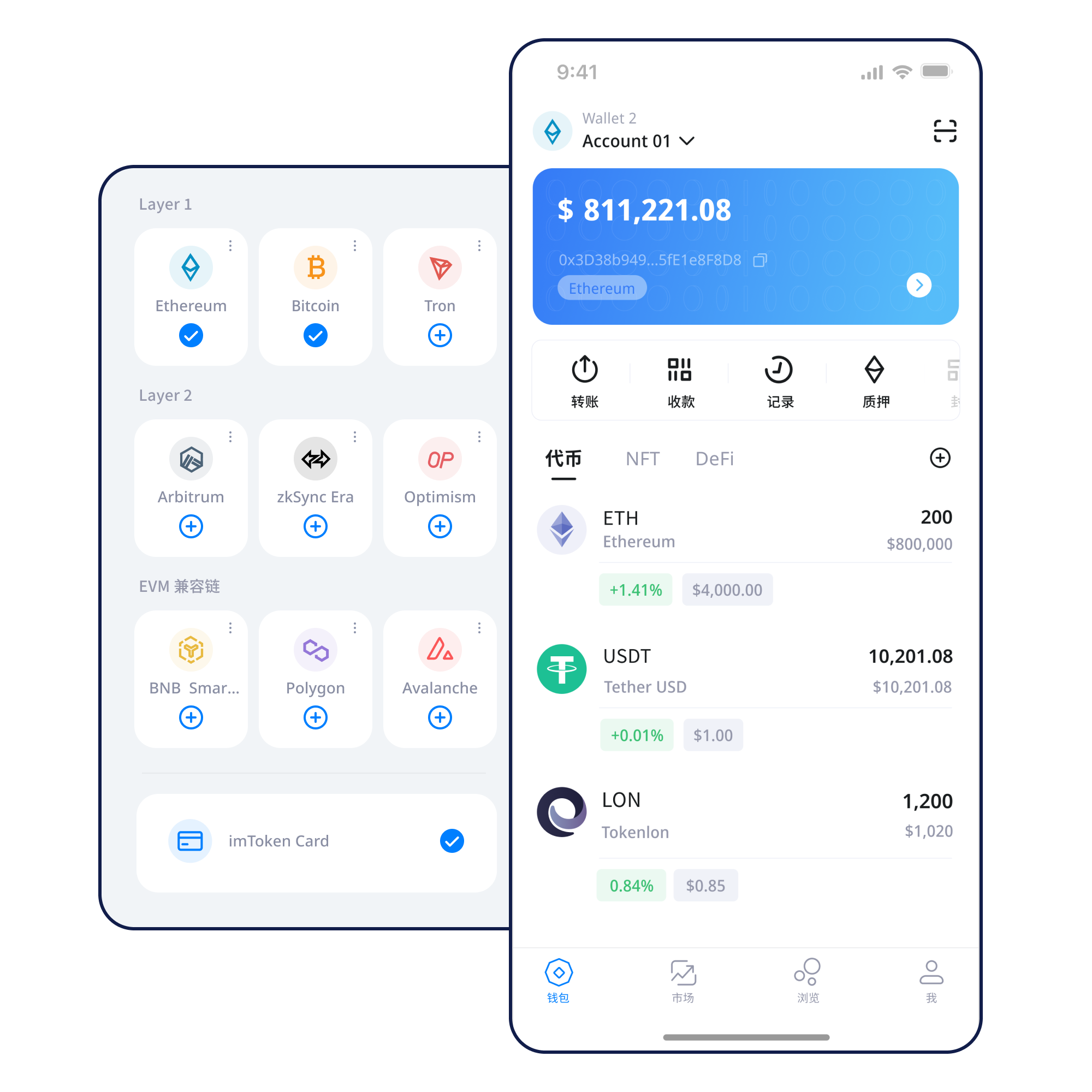
The same asset name may exist on different networks. Check the network, contract address and receiving support before moving assets.
Learn how multi-chain assets, network selection, sending and receiving, DApp connections, approvals, blockchain networks and wallet security fit together. imtoken focuses on the checks that matter before you submit an on-chain action.
Start from a trusted entry point and understand what keys and addresses a new wallet creates.
View steps →Keep the seed phrase offline and out of chats, email and screenshots.
Backup principles →Check both the receiving address and network, not just the address text.
Receive safely →Review the address, network, amount and gas before submitting.
Send safely →Review every signature, approval and contract request after connecting.
Connect safely →Real wallet use connects keys, addresses, networks, transactions, approvals and applications. Each capability is presented differently so you can understand what is being verified on-chain, not merely what appears in an interface.
The same asset name may exist on different networks. Check the network, contract address and receiving support before moving assets.
Receiving addresses, network choice, amounts, gas and transaction hashes form one verifiable on-chain flow.
See the full flow →Use the mobile wallet to review assets, manage networks, inspect transaction history and enter Web3 scenarios.
Browser connections require careful domain, approval-target and session review. Seed phrases and private keys should remain offline and should not be entered into third-party websites.
Web guide · Security center
The way recovery material is protected defines the foundation of account control.
Network choice is not cosmetic. It determines the gas asset, confirmation rules, contract environment and block explorer.
Across multiple networks, confirm the network name, gas asset, destination and token contract rather than assuming a similar address means the same network.
Nodes receive transactions and participate in block production or validation. Block explorers help verify hashes, heights and confirmation status.
EVM networks often share address and smart-contract patterns, while gas assets, chain IDs and network conditions still differ.
Transfers between a Layer 2 system and its base chain may involve bridges, different confirmation paths and waiting periods.
Use a trusted entry point and avoid unknown installation files.
Know whether you are creating or restoring, and never expose recovery material.
Keep the seed phrase offline and away from screenshots, cloud chats and public devices.
Check the network name, gas asset, address and receiving support.
Review the destination and network, then keep the transaction hash for verification.
Inspect DApp requests before signing and revisit approvals that are no longer needed.
Connecting a wallet does not mean every later request should be approved. Treat each signature and approval as a separate decision.
Open the Web3 guide →Wallet security is a set of repeatable habits rather than a single switch. Keep seed phrases and private keys under your control, review addresses, networks and amounts before transfers, understand signature requests and revisit old approvals. Public devices, untrusted networks and remote-control sessions can add risk. Because on-chain transactions usually cannot be reversed by the wallet alone, careful review before submission is the stronger control.
Open the security center →Addresses are public receiving identifiers; seed phrases and private keys control access; networks determine where a transaction occurs; gas affects execution cost; transaction hashes help verify status; and DApp connections and approvals introduce smart-contract permissions. Understanding these relationships matters more than memorizing interface buttons.
Start learning →How nodes, blocks and confirmations create a verifiable transaction state.
Understand addresses, gas, tokens and approvals.
Understand base chains, cross-layer movement and bridges.
Build a complete review path from connection to revocation.
Ethereum PoS uses validators to participate in consensus. Reward sources, validator status, withdrawals and exit procedures depend on protocol and network conditions.
Learn Ethereum staking →Staking does not guarantee returns. Rewards may change, exits may involve waiting, validators can be penalized, smart contracts carry technical risk, digital assets can move in price and third-party services can add their own risks.
Learn PoS & validators →A clearer path across creation, backup, network selection, transactions and approvals.
Anyone claiming to provide official support should not request recovery material.
Expanded guidance on network names, gas assets and block explorers.
Layer 2 and base-chain movement can use different confirmation and exit paths.
No. Legitimate support should never ask for your seed phrase, private key or verification code.
Review the address, network, asset, amount, gas terms and relevant contract information.
No. Each signature, approval and transaction still needs independent review.
Cross-layer paths can use different confirmation and exit mechanisms depending on the network.
No. Rewards can change and validator, technical, market and third-party service risks may apply.
It can be used to inspect transaction status and confirmations in the corresponding block explorer.
Understand backup, network and security principles first. Downloads and later actions should always be initiated by you.